Mobile console
Pocketwall
See the policy, change a rule, and put the firewall back in your pocket.
The Sophos web admin is built for a full screen. Pocketwall is the console I use when I am away from the desk: a phone app on the REST API that arrived with Sophos Firewall OS 23.
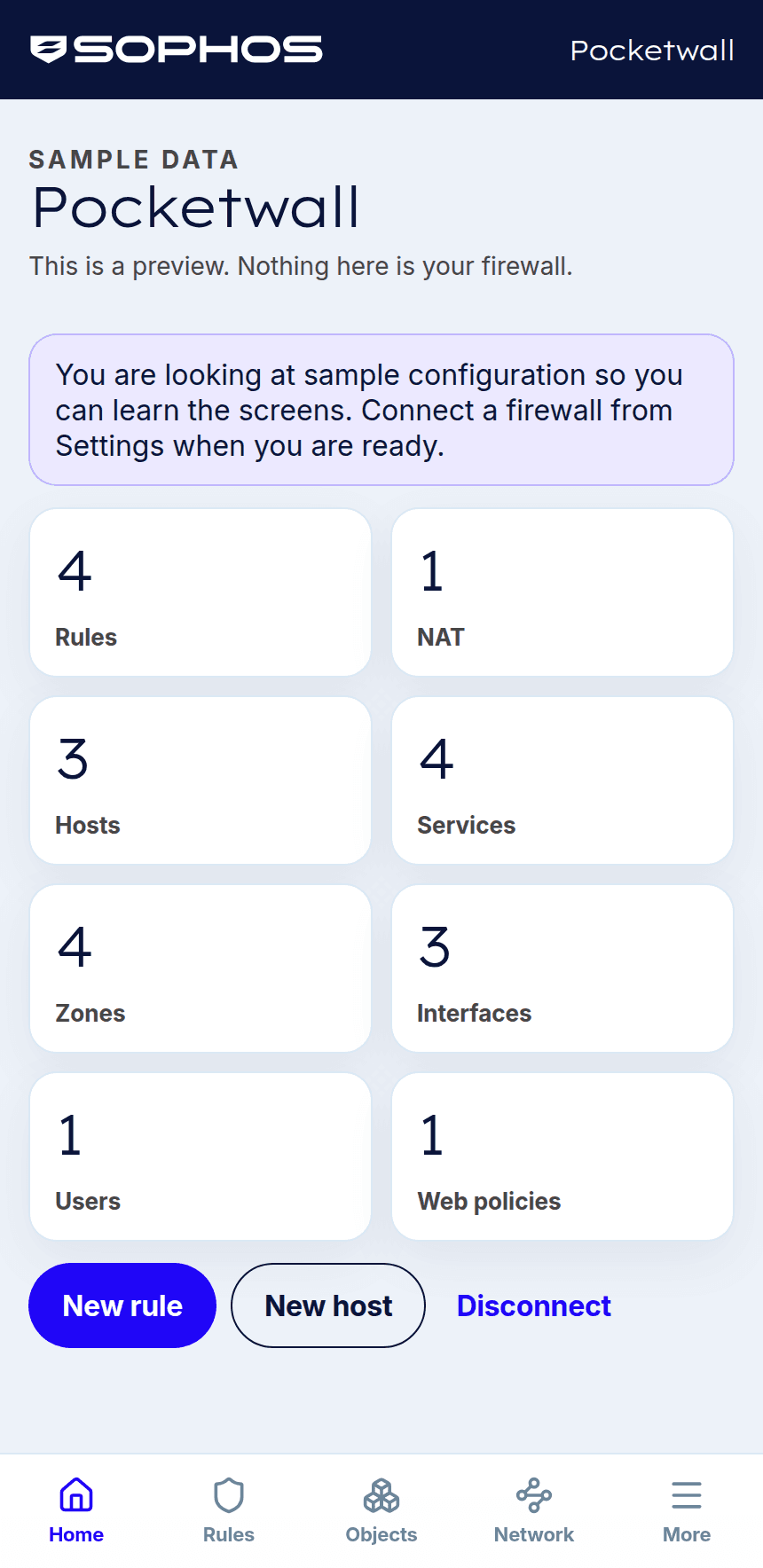
Connect with an API key and the policy is on the home screen. Rules, NAT, hosts, services, zones, interfaces, users, and web policies, with a count on each. Search a rule, move it, turn it off, or write a new one. End a live session, check NAT, or open web policy and VPN from the same phone. Everything else in the SFOS 23 configuration API is one list further in.
There is a preview of sample data, so the screens make sense before a firewall is connected. The preview says it is sample data.
SFOS 23
The new REST API
Token authentication, an allowed IP host, and a key that lasts one year. The key inherits the administrator who created it.
On the phone
Home screen, then the change
Add Pocketwall to the home screen. Rules, objects, network, people, web, and VPN sit behind the tab bar.
The key
Stays in the browser
The Pocketwall server receives the API key only to call your firewall. Remember the firewall on this device if the phone should keep the connection.
How a change works
- 01
Open it on the phone
Pocketwall is hosted at pocketwall.vercel.app. Add it to the home screen and it opens with a tab bar along the bottom. Preview sample data when you want to learn the screens before a firewall is connected.
- 02
Connect with an API key
Enter the firewall’s public hostname or IP, the admin port (usually 4444), and the API key from Administration → API access. Leave “Trust the appliance certificate” on when the firewall uses the default Sophos certificate.
- 03
Change the policy where you are
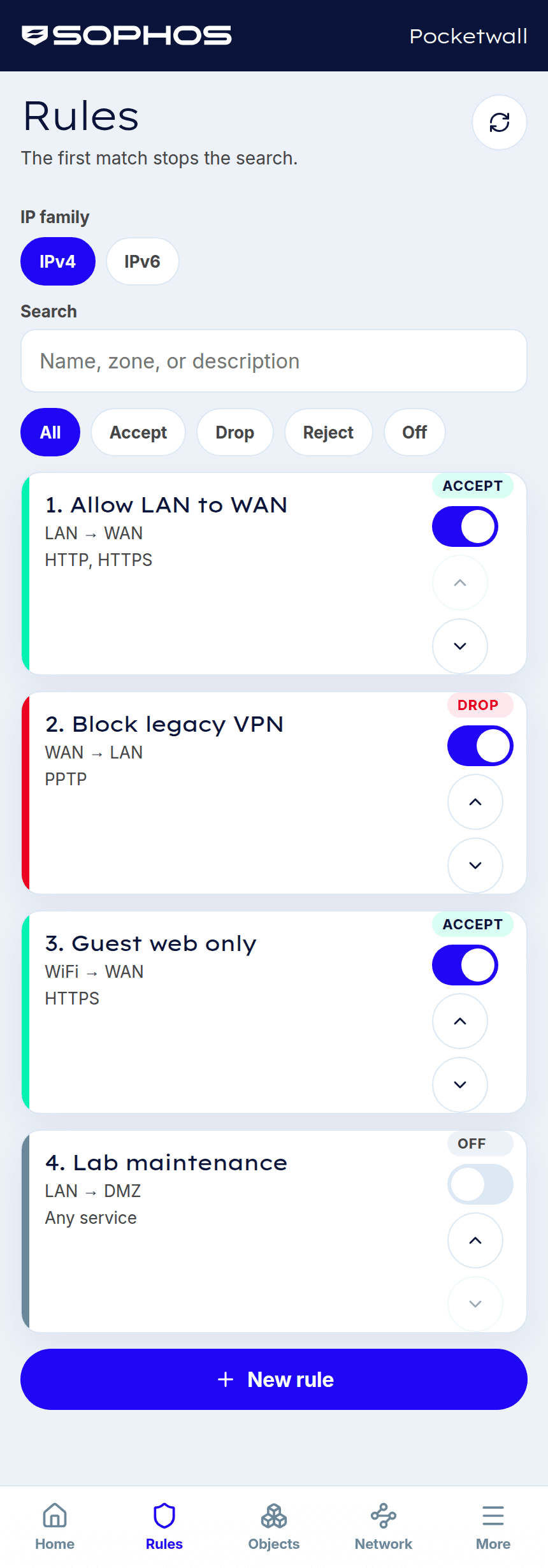
Rules run top to bottom, and the first match stops the search. Filter accept, drop, reject, and off, then enable, disable, or move a rule. A new rule takes a name, an action, zones, networks, services, and logging. NAT, hosts, people, web, and VPN follow the same idea: a list, then the object.
What you can reach
Rules
IPv4 and IPv6. Accept, drop, or reject. Move a rule up or down so a specific rule sits above a broad one. Search by name, zone, or description.
NAT
Masquerade and the other translations. Outbound masquerade is the change most networks need, and it is on the phone.
Objects and network
IPv4 hosts, IPv6 hosts, FQDN hosts, and services. Zones and interfaces are listed beside them. Changing an interface address can disconnect you from the firewall, and that screen says so before you edit.
People, web, and VPN
Network users, groups, and the sessions signed in now. End one from the phone. Web policies, exceptions, and URL groups. Policy-based IPsec, route-based IPsec, and SSL VPN remote access.
Every collection in the SFOS 23 configuration API is under Everything. Rules, hosts, and NAT keep the simpler screens.
What the firewall needs first
Pocketwall reaches the firewall you already run. These are the pieces that have to be in place before the first connection succeeds.
- 01
Sophos Firewall OS 23
Pocketwall uses the REST API that ships with SFOS 23. That release is in an external early access programme, with general availability expected in November 2026.
- 02
API access, and the address Pocketwall shows
On the firewall, open Administration → API access and turn API access on. Add the allowed IP host the app displays. That is the address the firewall sees when the Pocketwall server calls it. You can store up to 64 hosts, ranges, or networks. The hosted server’s outbound address can change. If a connection that worked yesterday stops, copy the address again and update the firewall.
- 03
HTTPS admin on the arriving zone
Under Administration → Device access, allow HTTPS administration for the zone the request arrives on. The usual admin port is 4444. Pocketwall connects over HTTPS. The hosted site calls the firewall from the internet, so the admin hostname has to answer there. A private LAN address works when Pocketwall itself is running on that network.
- 04
An API key from a dedicated administrator
Sign in as that administrator, choose Add API key, and copy the key before you close the dialog. It is shown once. It is the bearer token, it inherits that administrator’s permissions, and it lasts one year. The firewall admin password stays on the firewall.
- 05
The hostname, the port, and the key
Paste them into Pocketwall. The key stays in the browser and is sent only to the Pocketwall server so it can reach the firewall. A deployment can also ask for a Pocketwall password before it will make that call.
Open Pocketwall. The sample preview is there if you want to look around before you point it at a firewall. contact@nathanchadwick.com