Chrome extension
TokCleaner
Repost, likes, and bookmarks remover
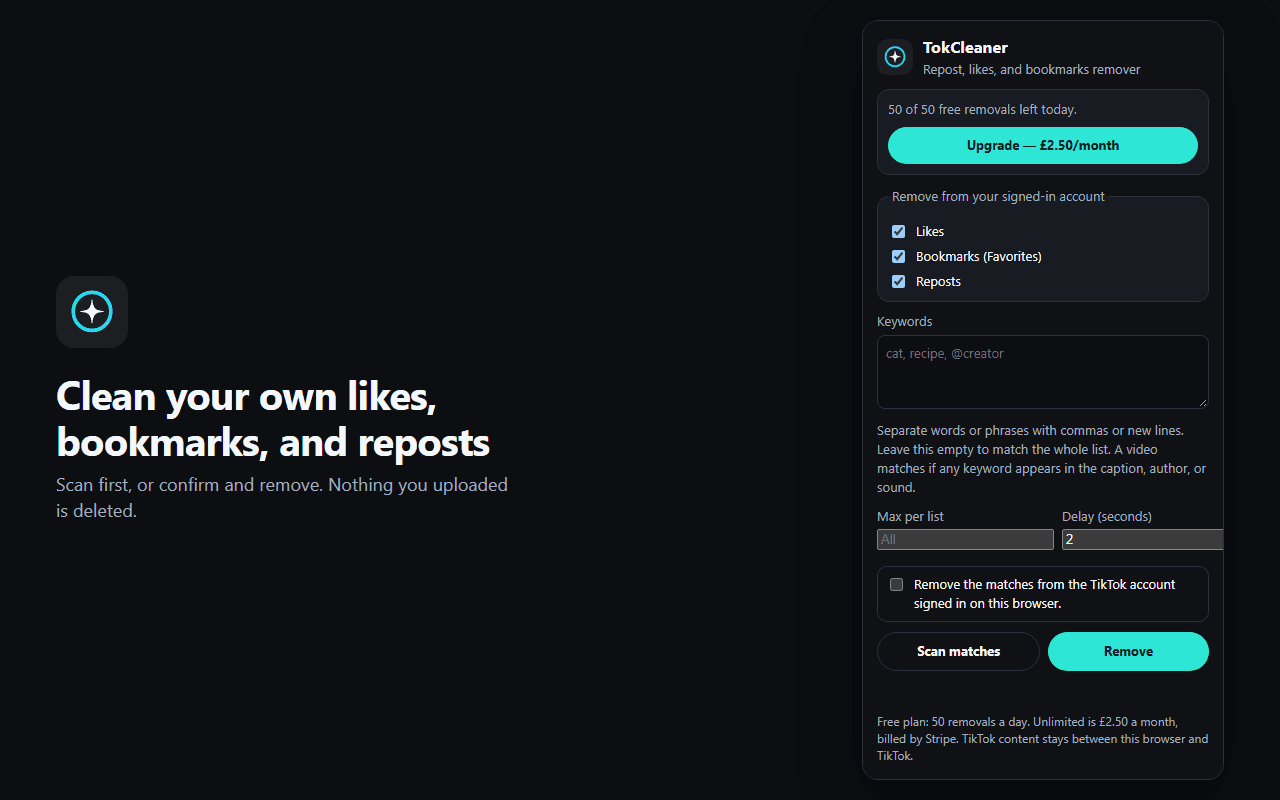
TikTok makes you undo a like, a bookmark, or a repost one video at a time. TokCleaner lists those three from the account already signed in on Chrome, lets you narrow them with keywords, and removes the matches only after you confirm.
Scan first, or confirm and remove. Nothing you uploaded is deleted. Your TikTok password, videos, captions, and cleanup report are not sent to the developer. TikTok content stays between this browser and TikTok.
Free
50 a day
50 successful removals each calendar day, counted on this device.
Unlimited
£2.50 a month
Upgrade opens ExtensionPay, then Stripe Checkout. TokCleaner does not receive your card number.
On this device
Your lists stay here
Choices, keywords, delay, and today’s free-removal count sit in Chrome’s local storage.
How a cleanup works
- 01
Use the account already signed in
Open www.tiktok.com in Chrome while you are signed in. TokCleaner reads that account’s likes, bookmarks, and reposts. It does not ask for your TikTok password.
- 02
Keep what still fits
Tick likes, bookmarks (Favorites), reposts, or all three. Add keywords if you only want some of the list. Captions, author names, and sounds are compared on your device. Leave keywords empty to take the whole list.
- 03
Scan, then confirm
A scan does not remove anything. When you confirm, the extension sends each removal to TikTok with your existing session. Videos you uploaded stay up, and who you follow does not change.
What it leaves alone
Your uploads
TokCleaner removes likes, bookmarks, and reposts. It does not delete videos you uploaded.
Who you follow
Following stays as it is. A keyword match is about the caption, the author, or the sound, not your follow list.
Pace
Set a delay in seconds, and an optional maximum per list, before anything is removed.
A copy, if you want one
A cleanup report is created only if you click JSON or CSV. That file stays wherever you save it.
Billing is handled by ExtensionPay and Stripe. To stop unlimited removals, open TokCleaner and choose Manage billing. The privacy policy covers what stays on the device, what is not collected, and how long the daily count remains in Chrome.